If you’re considering migrating to the cloud, you’re not alone. Many businesses are moving their systems and data to cloud-hosted solutions to take advantage of flexibility, scalability, and cost efficiency. However, before making the leap, you need to make sure your web security is solid. Trust me, you don’t want to find out the hard way that your data isn’t as safe as you thought it was.
The good news? With the right security measures, you can safely transition to the cloud and protect your valuable assets. Whether you’re looking to migrate for the first time or refresh your old infrastructure, visit their homepage to see how StratusInfoSystems can help set your organization up for a flawless network deployment. Let’s dive into five key web security measures you should implement before switching to the cloud.
Use Strong Passwords and Multi-Factor Authentication (MFA)
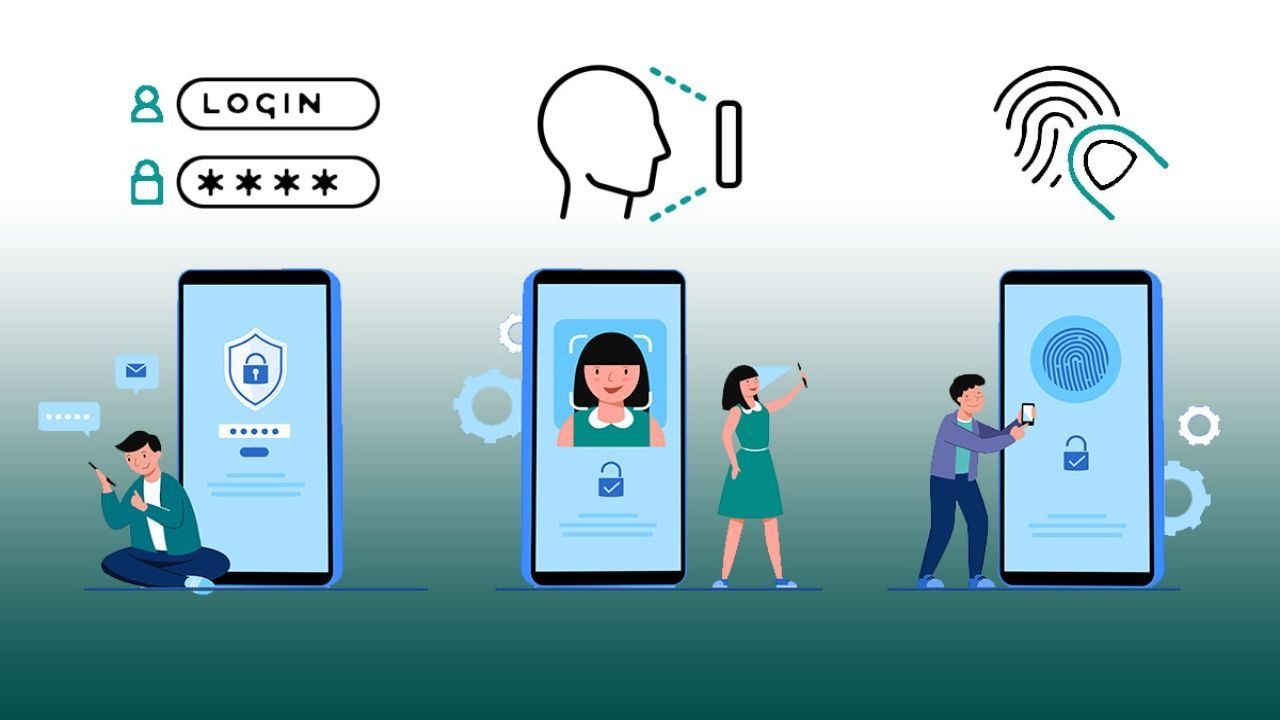
We all know the drill: the first line of defense is a strong password. But there’s more to it than just choosing something tough to crack. Weak passwords are like leaving your front door wide open, hoping nobody walks in.
So, what’s the solution? Start with complex passwords that mix letters, numbers, and special characters. Avoid using obvious choices like “12345” or your pet’s name. The next step is Multi-Factor Authentication (MFA). Think of it as adding a deadbolt to your front door. MFA requires users to verify their identity with something they know (a password) and something they have (like a phone or security key). This extra step can keep your accounts safe, even if someone manages to guess or steal your password.
By implementing MFA, you add an extra layer of security that’s simple yet incredibly effective. And let’s be real—who wants their sensitive data exposed because they skipped this step?
Encrypt Your Data
Imagine sending a letter in the mail. Without an envelope, anyone could read it. It’s no different with digital data. If you don’t encrypt your data, it’s like sending sensitive information over the internet without protection. Anyone who intercepts it can read it with ease.
Encryption is essential to ensure your cloud data is secure. Encryption works by scrambling your data so that it can only be accessed by someone with the correct decryption key. It’s like a secret code that only you and authorized users can break. Most cloud providers offer encryption as part of their service, but it’s always a good idea to double-check and enable this feature.
Whether your data is at rest (stored in the cloud) or in transit (being sent or received), encryption ensures that it stays private. Without it, you risk exposing your sensitive information to unauthorized parties.
Regular Backups Are a Must
Regarding web security, there’s always a chance something could go wrong. A hacker might breach your system, or a software bug could wipe out your files. In these situations, regular backups can be your safety net.
Think of backups as your digital “emergency fund.” You might not need them daily, but when disaster strikes, they can save you from a major headache. Set up automated backups to run on a regular schedule. This way, you won’t have to manually save important files. And in case something goes wrong, you can restore your system to its previous, secure state.
Many cloud services offer backup options, so check with your provider to see what’s available. If you’re unsure, you can always set up a third-party backup service. The key here is to make sure your data is regularly saved, so you can avoid costly downtime or data loss.
Monitor User Access and Permissions

Not everyone needs full access to all your files and systems. Think of it like a movie theater—only certain employees need VIP access to the projector room, while others are fine with sitting in the audience. Similarly, user access control ensures that only the right people can access specific resources.
Before moving to the cloud, make sure you have a system in place to monitor and manage who can access your cloud-based systems and what they can do once they’re in. Regularly review user access to make sure people who no longer need access are removed. This minimizes the risk of unauthorized access from former employees or contractors.
Additionally, use role-based access control (RBAC), which assigns specific permissions to different roles within your organization. For example, a manager may need to view reports, while an intern only needs access to specific documents. By defining roles and setting clear permissions, you can avoid over-sharing sensitive data.
Secure Your Cloud Network
It’s not enough to secure the data itself. You also need to protect the network that connects your cloud systems. This is where a firewall comes into play. Think of a firewall as a security guard at the entrance of your building. It filters traffic and makes sure only the right people are allowed in.
To secure your cloud network, ensure your firewall settings are configured correctly. You should also implement a Virtual Private Network (VPN), which encrypts the data being transferred between your systems and the cloud. This prevents hackers from intercepting your data as it travels over the internet.
Another important step is to monitor your network for unusual activity. Tools like intrusion detection systems (IDS) can alert you if someone tries to break into your network. Keep an eye on these alerts and respond quickly to any potential threats.
Your Cloud Security Checklist
Implementing these web security measures might seem like a lot of work, but trust me, it’s worth it. In today’s digital world, cloud security is not something you can afford to overlook. By ensuring you have strong passwords, data encryption, backups, access control, and a secure network, you’re giving your business the best chance at a safe and smooth transition to the cloud.
Remember, the cloud can be an incredible tool for your organization, but only if you take the proper precautions. So, before you move, make sure these measures are in place. With the right security protocols, you can protect your data and ensure a secure, worry-free cloud experience.
Thinking about moving to the cloud? Don’t forget to visit their homepage to see how StratusInfoSystems can help you set up a safe and seamless transition. Ready to take the next step? Let’s get your cloud journey started!